Modern Dashboard
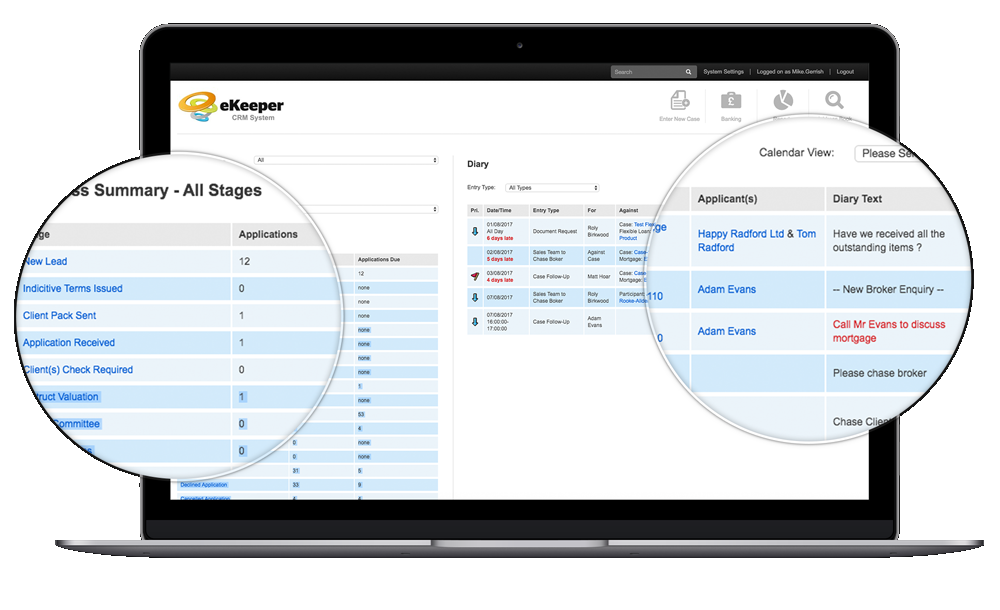
The new modern feel dashboard has a clean look, with plenty of space to showcase your logo along with the icon menus.
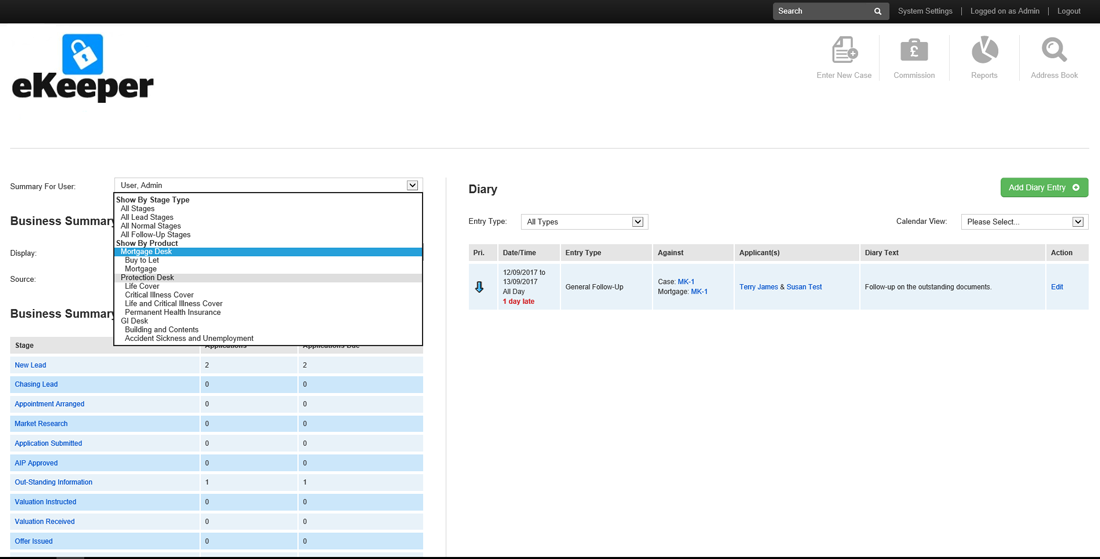
The business summary now allows you to view your pipeline by not only users and mortgages but also protection and any other products you have set up. Furthermore, you can also get a higher-level view using our new product groups, displaying a breakdown by individual product workflow, defined by the user.
Client Centric
With an enhanced client centric view, understanding what your client has is now made simple. Creating a sole case, you can add multiple applicants or companies, followed by their required products (mortgage, insurance, protection etc).
Products are presented in an easy to read TABBED basis, so switching between products and viewing the latest information, documents or requirements has never been so easy.
Integrated Portals
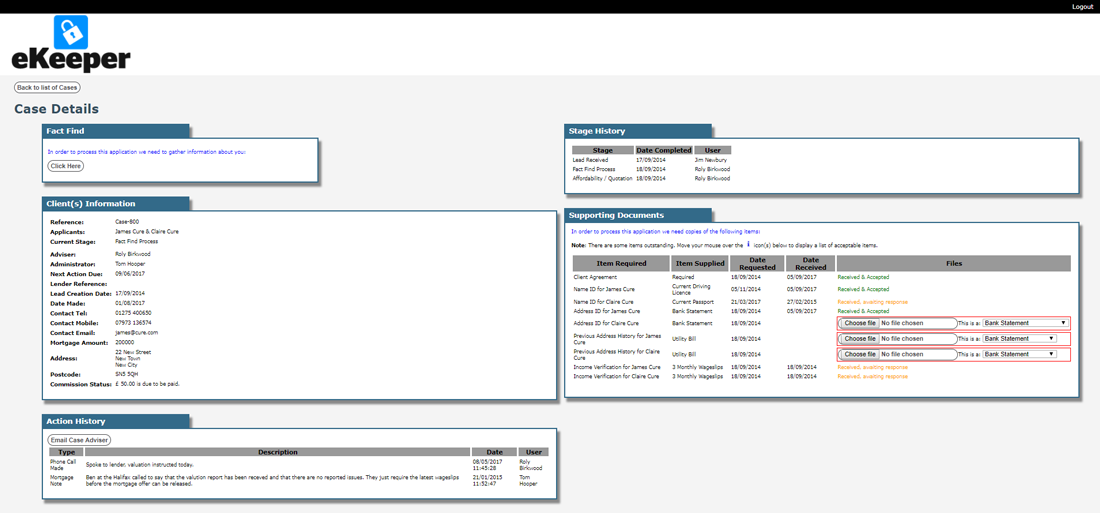
Provide a log-in to your customers and introducers, such as estate agents, allowing them to see the progress of their own cases.
Additionally, offering the functionality to upload required documents via the portal, refer new cases or complete the fact-finding process.
Portals can be configured to match your own company style and logos.
Flexible Origination
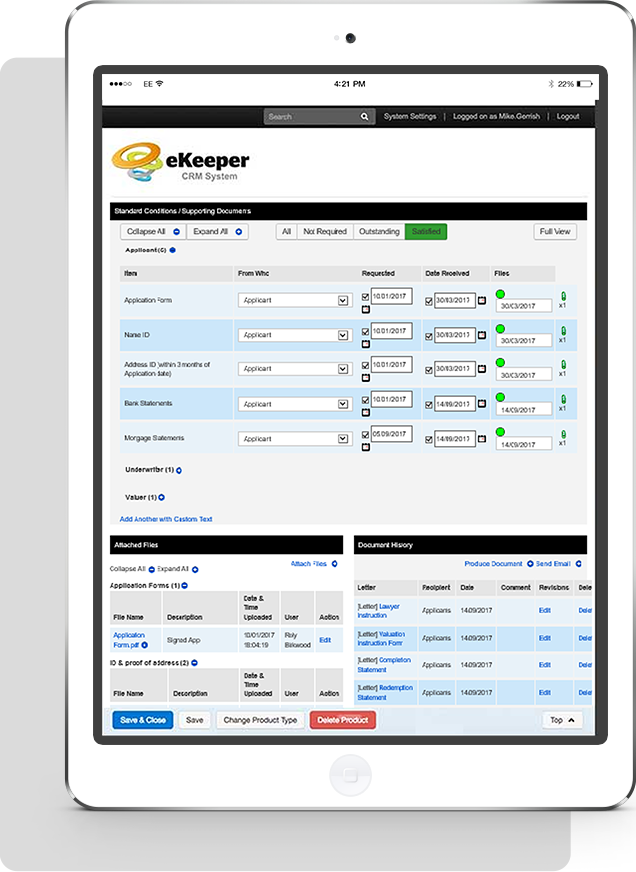
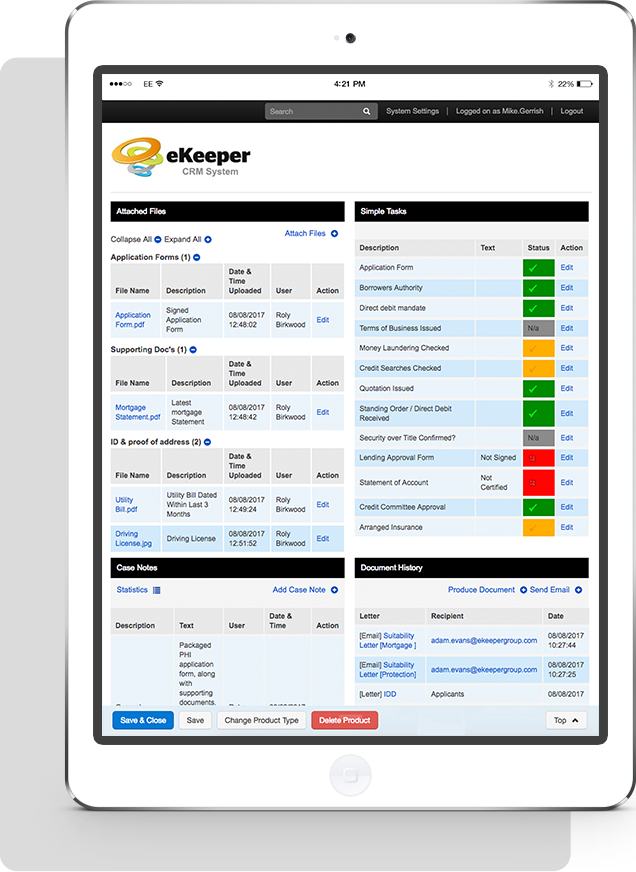
The supporting document panel displays precisely the information you need, however with new functionality, you can now choose what items are display based on the products status in the workflow.
New styling allows for a familiar clean navigation, making for an intuitive and easy display. Instead of everything on view you can now switch to what has been received or only the outstanding items. The new features don't end there... the ability to set that an item must be received, plus an attachment being added, before a product can move forward, ensures compliance and protocols are effortlessly maintained.
Checklist Tasks
New styling safeguards case checking with the addition of a colour coded display. We've also extended the functionality for checklist tasks. Instead of being restricted to a simple check-box you can now set multiple statuses against each task, all of which can be set as a prerequisite against the products individual workflow, safeguarding a product moving forward, further guaranteeing compliance and protocols are effortlessly upheld.